
How to Edit AI-Generated Content So It Sounds Human
Last updated: October 25, 2026
Quick Answer: To edit AI-generated content so it sounds human, use a style guide, fact-check every claim, cut repetition, and rewrite the voice in one consistent register.
Edit AI-generated content by checking the draft for voice, accuracy, repetition, and weak examples, then rewriting the lines that sound generic so they fit one clear style guide. AI-generated content usually fails in the same places: it over-explains, repeats itself, and sounds safer than a real person would write.
Key Takeaways
- Start with a style guide, source list, and reader profile before editing.
- Read the draft once straight through before making changes.
- Remove repeated ideas so each paragraph does new work.
- Keep one tone steady from start to finish.
When the goal is publishable copy, the answer is not “run it through another tool.” It takes a human editorial pass that treats the output like any rough draft: verify the facts, trim the filler, sharpen the tone, and add the details a model tends to skip. That approach works for blog posts, landing pages, emails, and support articles. Legal, medical, and financial copy is different; it needs specialist review before publication. In those cases, consult a qualified professional before publication, as the FTC and similar regulators stress the need for accurate, substantiated claims. FTC advertising guidance, APA Style
What you need before you start editing AI-generated content
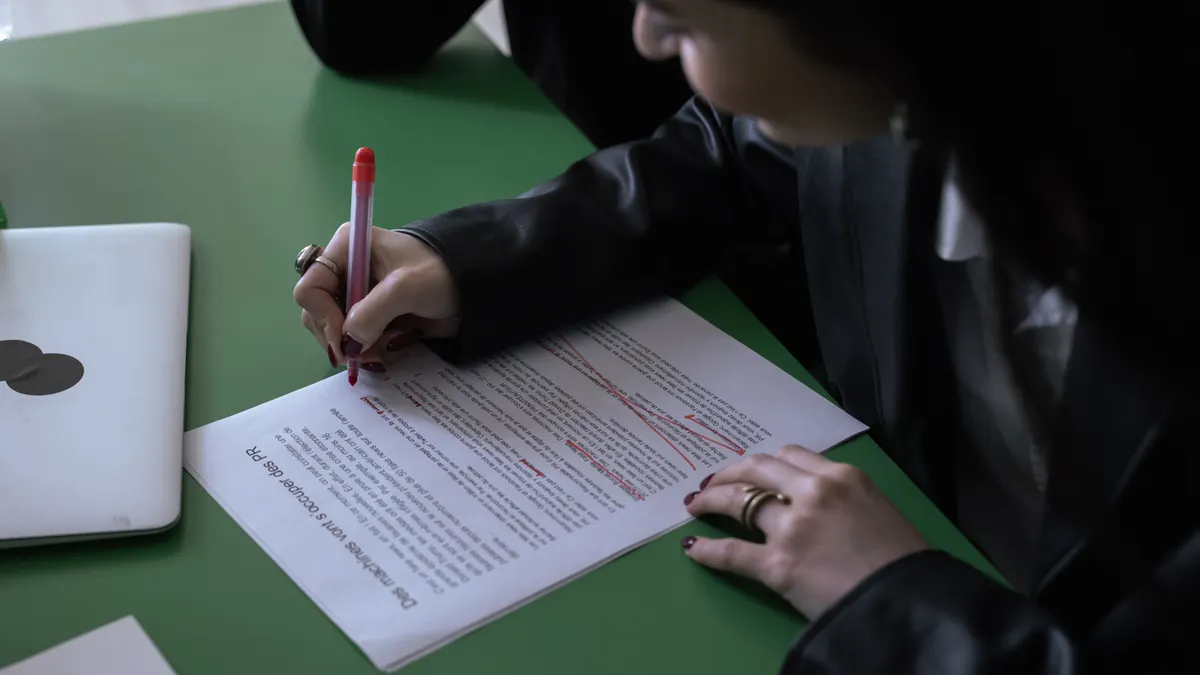
Before you touch the draft, gather three things: a style guide, a fact-check source list, and a clear idea of who the piece is for.
A style guide can be simple. Five to 10 rules are enough: preferred spelling, sentence length, point of view, brand terms, and words to avoid. Say in writing whether the draft should sound like a product team, a newsroom, or a founder. Without that, the model output will drift between formal, flat, and awkwardly cheerful within 3 paragraphs.
For fact checking, collect the source material first. That can be a product page, a technical spec sheet, a help center article, a white paper, or an interview note. The draft should not be the source of truth for itself. Mark any line that cannot be traced to a real document for removal or replacement.
You also need the editorial standard you are aiming for. A 600-word explainers piece, a 1,200-word SEO article, and a customer email do not get the same treatment. Structure helps, sure, but structure is not clarity. Honestly, I would rather read a short draft that says one thing well than a 900-word draft that repeats the same point four times.
One useful rule: if the draft would fail a basic editorial review at a magazine or agency, it is not ready for publication just because it was machine-generated. The machine is the first drafter, not the editor. That distinction matters.
1. Read the draft once without editing anything
Take the full draft from top to bottom once before changing a single sentence. You are looking for the shape of the piece: what it is trying to say, where it rambles, and where it suddenly sounds like it changed writers.
On this first pass, watch for three things. First, note the sections that repeat the same idea with slightly different wording. Second, circle claims that need a source. Third, mark any sentence that sounds stiff enough to make a reader stop. A good draft should give you a clear map in about 5 minutes.
Do not line-edit in this step. Start fixing individual words too early, and you lose the bigger pattern. A lot of AI-generated text has the same structural problem: the opening promises a useful answer, then the middle pads that answer with 3 versions of the same point. A first read shows you where the real work is.
What should you see when this step works? You can summarize the draft in one sentence and list the 3 worst problems without rereading every line.
2. Cut the repeated ideas until each paragraph earns its place

Remove repeated ideas until every paragraph adds something new. AI-generated drafts often say the same thing in 3 different ways because the model is trying to sound complete rather than useful.
Start by finding duplicate claims, looping transitions, and “restated” sections that do not move the reader forward. When one paragraph says the draft needs a style guide and the next says the draft should follow brand tone, keep the stronger sentence and cut the weaker one. When two paragraphs both explain that the reader should check facts, combine them and keep the cleaner version. Otherwise, the copy turns into mush with a tie on top.
The easiest way to test redundancy is to ask, “What does this paragraph do that the previous one does not?” If the answer is “nothing,” delete it or fold it into the earlier paragraph. This is especially important in AI-generated content because models often produce a full-sounding paragraph that does not actually add information.
Aim for one main idea per paragraph. Once a paragraph starts carrying two or three jobs, the writing gets foggy. A 2-line paragraph can be stronger than a 6-line one if it lands one clear point.
What should you see when this step works? The draft gets shorter by 10% to 25% without losing meaning, and each paragraph has a distinct job.
3. Rewrite the voice so it sounds like one real person wrote it
Choose one register first, then keep it steady across the draft. The goal is not to make the text “more human” in a vague way; it is to make it sound like a specific person speaking to a specific reader.
Pick the voice before you edit sentences. Direct and practical? Calm and expert? Blunt and conversational? Choose one. Then make the draft match that choice. When the style guide says the brand does not use hype, remove words like “game-changing” and “seamless.” If the audience is technical, swap vague language for terms the reader actually uses.
Two common problems show up fast. One is over-politeness: the draft keeps saying “it is important to note” or “it should be considered” when a plain verb would do. The other is inflated certainty: the text sounds like it is trying to sound authoritative by using broad claims it cannot support. Real human writing is usually more specific and less theatrical.
Shorten the sentence when the point is simple. “This helps improve readability and enhances the overall user experience” can usually become “This makes the page easier to read.” The second version sounds human because it has less padding and fewer abstract nouns.
What should you see when this step works? The draft sounds consistent from headline to ending, and one reader could describe its tone in a few words.
4. How do you make AI writing sound natural?
You make AI writing sound natural by replacing generic phrasing with concrete details, varied sentence lengths, and a few imperfect human choices.
Natural writing usually has texture. It names the object, the situation, or the constraint instead of floating above them. “Check the source file for missing names and dates” sounds more natural than “Ensure the integrity of all relevant information.” The first sentence tells the reader what to do. The second sounds like it was written to avoid saying much.
Vary sentence length on purpose. When every sentence has the same rhythm, the draft feels machine-made even when the facts are fine. Mix a short sentence with a longer one. Use a fragment only if your style guide allows it and it serves a purpose. A well-placed short line can snap a section into focus.
Natural writing also includes a few human-level judgments. Say what matters most, not what sounds most balanced. When one point matters more than the others, give it more space. If a claim is weak, say so plainly. Readers trust a draft more when it admits limits.
One practical method: read the draft aloud at normal speed. When you trip over a sentence, it is probably too stiff, too long, or too generic. When you can say it naturally, the reader probably can too.
What should you see when this step works? The draft sounds like spoken English on the page, not like a model trying to imitate spoken English.
5. Check every claim, number, and named detail against a source
Before publication, check every claim, number, and named detail against a source. This is the part that protects the piece from sounding polished but being wrong.
Go line by line and compare the draft to the source material. Verify product names, feature names, dates, technical terms, and process descriptions. When the draft says the tool exports to CSV, the source needs to say CSV, not just “downloads data.” When the draft mentions a standard, use the exact standard name rather than a loose approximation. When the draft includes a figure, confirm it or remove it.
This is where AI-generated content often fails in a subtle way. The wording sounds confident, but the detail is either unsupported or slightly off. A reader may not catch a small error immediately, but the damage builds fast when a page contains several of them.
When you cannot verify a detail, do not leave it in just because it sounds useful. Replace it with a broader statement that is true. “The platform supports common file types” is less risky than naming a format you have not confirmed. A clean, modest claim beats a confident mistake every time.
For anything legal, financial, or medical, a qualified professional should review the final wording if the piece makes advice or guidance claims. Editorial polish does not make a sensitive claim safe. Government guidance on consumer claims and professional ethics both point in the same direction: accuracy first, style second. FTC advertising guidance, AMA Journal of Ethics
What should you see when this step works? Every specific detail in the draft has a clear home in a source, a note, or a deliberate omission.
6. Add examples and concrete details where the model stayed vague
Add examples where the draft uses abstract language and leaves the reader guessing. AI-generated text often says what a section should do without showing what that looks like in practice.
Examples do not need to be long. One sentence can carry the weight of a whole paragraph if it is specific enough. Instead of saying “use clearer language,” show a before-and-after line. Instead of saying “adjust the tone,” show the kind of phrase to cut and the kind to keep. That small move turns advice into something a reader can copy.
This section is also where you fix bland generalities. When a paragraph says “different teams need different approaches,” name the teams or the use case. A blog editor, a support lead, and a startup marketer do not need the same edit. The model will often flatten those differences unless you put them back in.
Do not overload the page with examples. Two strong examples beat five weak ones. The point is to clarify the rule, not to turn the piece into a list of mini-demos. When a section has no example and feels abstract, that is a sign the reader will need one too.
What should you see when this step works? The reader can picture the edit, not just agree with the advice.
7. Finish with a clean editorial review, not another rewrite pass
Finish with a final editorial review that checks clarity, flow, and consistency in one pass. At this stage, the job is not to keep changing sentences forever; it is to make sure the draft reads like a finished piece.
Read the opening and the close together. They should point to the same promise. Check headings for repetition, because AI-generated outlines often create sections that sound different but cover the same ground. Make sure the examples support the main point rather than wandering off into side topics. Confirm that the first sentence of each section answers the heading directly.
This is the right moment to catch small but visible errors: repeated words, mismatched tone, stray filler, or a paragraph that still sounds like an outline note. A final review should take minutes, not hours. When the piece still needs major restructuring at this point, the earlier steps were skipped.
One useful standard is the style guide itself. When the draft conflicts with the guide, the guide wins. When the draft sounds fine but is inconsistent, it still needs revision. Consistency is part of credibility.
What should you see when this step works? The draft reads smoothly from start to finish, with no obvious seams from the original machine text.
Common mistakes that make AI-edited copy still sound artificial
The biggest mistake is keeping every sentence that sounds “good enough.” That leaves the draft smooth but hollow. It costs the reader time because they have to sort the useful lines from the filler. The fix is ruthless trimming: when a sentence does not clarify, support, or move the piece forward, cut it.
A second mistake is sanding off every rough edge until the voice becomes generic. That costs the draft its point of view. Keep specific nouns, direct verbs, and a few sharp opinions where the style guide allows them.
A third mistake is trusting the first layer of polish. AI-generated content can look clean after one pass, but still contain repetition, weak transitions, and thin examples. The fix is a second read focused only on usefulness. That pass should look for what the reader will remember 10 minutes later.
A fourth mistake is editing for tone before accuracy. That can create a beautifully written error, which is a bad outcome. The fix is simple: verify first, then style, then polish.
A fifth mistake is leaving in filler phrases because they sound professional. Phrases like “it is worth noting” and “in order to” often dilute the sentence. Replace them with direct language unless the structure truly needs them.
For readers building a larger workflow, the hub page on best AI content writer tools can sit alongside this editing process, but the tool choice is not the same task as the edit itself. For related workflow steps, see the content brief template and SEO writing checklist.
A practical edit order that saves time on every draft
Use this order every time: read, cut, rewrite, verify, then polish. That sequence keeps you from wasting time polishing sentences you may later delete.
Start with a full read so you see the shape of the piece. Then cut repetition and weak sections. After that, rewrite the voice and add missing examples. Only then do the fact check and final polish. This order keeps the edit moving from large to small, which is faster than bouncing between levels.
When the draft is under 800 words, this process may take less than 20 minutes for a simple page. For a long article with sources, structure, and multiple claims, it can take much longer. The exact time depends on how rough the draft is, not on how long it looked when the model generated it.
The point of the process is not perfection. The point is to turn machine draft language into publishable copy that sounds deliberate. That means one voice, one argument, one fact base, and no extra noise.
When the edit is done right, the reader should not think about the draft at all. They should think about the answer.
How do you make AI writing sound natural?
Choose a plain voice, shorten overbuilt sentences, and replace abstract phrasing with concrete details. Read it aloud once, and the stiff lines usually reveal themselves. A natural draft feels like one consistent piece written for one reader, not a stack of revisions.
Drafted with AI; not yet reviewed by a person.