AI Content Writer Tools for Social Media Captions
Last updated: October 10, 2026
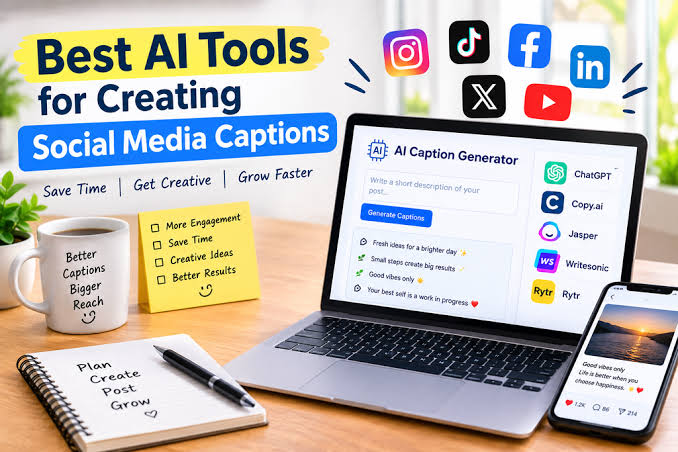
In short: the best AI content writer tool for social media captions is the one that matches your posting volume, brand voice, and editing tolerance—not the one with the loudest demo video. For AI content writer tools for social media captions, I would start with a general-purpose writing model such as ChatGPT or Claude if you need fast first drafts. If you need caption writing inside a social scheduler, I would favor a platform like Jasper, Copy.ai, or Later that keeps drafting and publishing in one place.
Key Takeaways
- A good AI caption writer should save time while keeping your voice intact.
- ChatGPT and Claude are the strongest place to start if you want flexible drafting and can guide the tool.
- Jasper and Copy.ai are strongest for repeatable team caption production.
- ChatGPT and Claude suit thinking; Jasper and Copy.ai suit production discipline.
I write about content systems, editorial judgment, and the tools that shape day-to-day publishing decisions. That matters here because caption tools are not just “AI that writes.” They are shorthand machines for tone, length, hooks, calls to action, and platform fit.
What an AI caption writer should actually do

A good AI caption writer should save time without flattening your voice. That sounds simple, but it is the real standard. The tool should help with three jobs at once: generate a usable first draft in under a minute, adapt to different platforms such as Instagram, LinkedIn, X, or Facebook, and let you control tone, length, and structure before you publish.
According to a 2024 HubSpot survey, marketers already use AI in day-to-day work, and caption writing is a common use case. According to the same report, 56% of marketers say AI helps them create content more efficiently. That is the benchmark: efficiency plus control. Source: HubSpot State of AI in Marketing 2024.
The useful part is not “writes captions.” That phrase hides the real work. The useful part is whether the tool can take a rough prompt like “launching a spring sale for handmade candles” and turn it into five captions with different angles: playful, premium, direct-response, founder-led, and story-based. A weak tool gives you one generic caption and calls it variety. A stronger one gives you format choices, emoji control, hashtag suggestions, and a way to keep the brand voice consistent.
A serious caption tool should also understand platform constraints. A LinkedIn caption often needs a cleaner hook and fewer hashtags than an Instagram caption. A TikTok caption may need more punch and less polish. A useful tool respects those differences instead of recycling the same sentence with a platform label attached.
For example, Meta’s own guidance emphasizes relevance and quality in delivery across its apps. That makes platform fit a practical requirement, not a stylistic preference. Source: Meta Business Help Center.
I would avoid any tool that only generates “creative” copy but offers no control over length, audience, or brand tone. That kind of system is fine for brainstorming and poor for production. For a small team, that usually means more editing, not less. For a solo creator, it often means the output sounds like every other account in the niche.
ChatGPT and Claude: best for flexible caption drafting
ChatGPT and Claude are the strongest starting point if you want raw drafting power and you are willing to guide the tool yourself. They win because they are flexible. You can ask for five short Instagram captions, then turn one into a LinkedIn version, then ask for a more sarcastic rewrite, all in the same workflow. That matters more than fancy preset templates.
Their best strength is control over the brief. If you give a clear prompt with audience, offer, tone, and platform, these tools can produce usable drafts fast. That makes them especially good for creators, consultants, and small marketing teams that post across several channels but do not want to buy a separate tool for every format. They are also useful when you need captions that match a specific campaign angle, such as scarcity, launch day, testimonial, or behind-the-scenes.
For instance, OpenAI positions ChatGPT as a general-purpose assistant for writing and editing tasks, which fits caption drafting well. Anthropic similarly positions Claude as a writing and analysis assistant, which fits iterative caption refinement. Sources: OpenAI ChatGPT and Anthropic Claude.
The weakness is obvious: they will happily sound polished and still be wrong. They do not know your product claims, legal boundaries, or brand taboos unless you tell them. They also tend to produce generic enthusiasm if the prompt is thin. That creates a hidden cost: time spent rewriting bland lines that looked good at first glance. If your captions need compliance review, a human still has to do the final pass.
There is also a workflow drawback. These tools are not native social schedulers. You can draft in them, but you still need to move the copy into Buffer, Hootsuite, Later, Sprout Social, or another publishing system. That extra step is fine for a content marketer who wants quality. It is a drag for someone who needs to schedule 40 posts across a month with minimal friction.
I would choose ChatGPT or Claude if you write captions for more than one brand voice, if you care about prompt-level control, or if your caption process starts with a blank page. I would skip them if you want a one-click template machine or your team needs an approval workflow built into the same tool.
Jasper and Copy.ai: best for teams that want templates and brand consistency
Jasper and Copy.ai win when the goal is repeatable caption production at a team level. They are built around templates, workflows, and brand consistency. That makes them better than a general chatbot for marketers who need the same type of caption every week: product drops, event promos, listicle teasers, webinar invites, and content repurposing from blog posts into short-form social copy.
The strength here is structure. Instead of starting from a blank prompt, you often start from a use case: social post, campaign caption, ad variation, or brand tone setting. That reduces the number of mediocre drafts you have to sort through. It also helps when more than one person writes posts for the same account. A template-based system can keep the voice from drifting too far from the brand guide.
The trade-off is rigidity. Template systems often produce efficient copy that feels slightly manufactured if you do not edit it. They can also over-index on “marketing voice” when you want a more human caption. A founder account, a creator account, and a product-led SaaS account do not need the same cadence, and a template library can sometimes blur those differences.
These tools are not the best fit for someone who writes highly personal or highly original captions because the structure can narrow the range of voice. If the whole point of the account is taste, humor, or a distinctive point of view, the structured prompt flow may feel too boxed in. They are also less attractive if you only write a few captions a month, because the value comes from repetition.
I would pick Jasper or Copy.ai if you manage multiple campaigns, need a shared system for nonwriters, or care more about consistency than improvisation. I would not pick them for a solo creator who wants one-off captions with a strong personal voice.
The honest side-by-side
ChatGPT and Claude are better for thinking; Jasper and Copy.ai are better for production discipline. That is the real split. One side gives you broader creative range and better conversational refinement. The other gives you a tighter workflow and fewer moving parts once a team gets rolling.
| Criteria | ChatGPT / Claude | Jasper / Copy.ai | Winner for [condition] |
|---|---|---|---|
| Prompt flexibility | High; easy to ask for unusual tones, formats, and rewrites | Moderate; strongest inside preset workflows | ChatGPT / Claude for custom campaigns |
| Template speed | Good, but depends on your prompt | Strong; built for repeatable caption types | Jasper / Copy.ai for recurring content calendars |
| Brand consistency | Requires clear instructions and active editing | Better for shared brand voice and team use | Jasper / Copy.ai for multi-writer teams |
| Creative range | Very wide; can shift voice quickly | Useful, but more bounded by templates | ChatGPT / Claude for ideation |
| Workflow with scheduling | Separate drafting and publishing steps | Often closer to publishing workflows | Jasper / Copy.ai for end-to-end efficiency |
| Editing burden | Can be low or high depending on prompt quality | Usually lower for standard marketing posts | Jasper / Copy.ai for routine output |
| Best use case | Fresh angles, founder voice, complex briefs | Campaign production, team consistency, repeated formats | Depends on the content model |
| Risk of generic copy | High if the prompt is weak | High if the templates are overused | Neither, if you want distinctive voice |
| Learning curve | Low to moderate | Low for templates, moderate for systems | ChatGPT / Claude for individual users |
The table points to a simple truth: if your biggest problem is staring at a blank screen, choose the chatbot-style tools. If your biggest problem is keeping a team consistent across 30 captions a month, choose the template-driven tools. The wrong choice usually shows up as either too much editing or too much sameness.
When does an AI caption tool beat writing captions by hand?
An AI caption tool wins when speed matters more than literary pride. That usually means product launches, daily posting, campaign recaps, content repurposing, and accounts with multiple stakeholders. If you need 10 caption variations for one offer by 4 p.m., AI is the practical answer.
It also wins when the job is translation, not invention. Turning a blog summary into a LinkedIn post, compressing a webinar takeaway into three Instagram captions, or rephrasing a customer review into a promotional post are all tasks where the machine can do the first 70 percent quickly. A human still has to check accuracy and tone, but the draft arrives much faster than it would from scratch.
AI loses when the caption depends on lived context, fine judgment, or sharp taste. A post about a sensitive brand moment, a high-stakes public response, or a campaign that relies on insider humor usually needs a person from the start. A model can imitate confidence, but it cannot truly sense when a joke will read as smug or when a promotional angle will land badly.
The hidden trap is overproduction. Because the tools make text quickly, it is easy to publish more and think more. Those are not the same thing. Twelve average captions are not better than six good ones. In social media, quantity only helps when quality stays stable.
I would treat AI as a caption assistant, not a caption author, and I would still ask a human editor or qualified communications professional to review sensitive copy before publishing. That sounds like a small distinction, but it protects the account from the most common failure: posting something polished that says very little. Source: APA style guidance on human review and responsible communication and FTC guidance on advertising disclosures.
Which tool should you choose for your caption workflow?
Choose ChatGPT or Claude if you need the most flexible caption drafting, you write for several tones or brands, and you are comfortable shaping the output yourself. Choose Jasper or Copy.ai if your main need is repeatable caption production with team-friendly structure and fewer drafting decisions. Neither if your account depends on a highly personal voice, strict legal review, or sensitive messaging where every line needs human judgment first.
That is the cleanest recommendation I can make. If you are a solo creator, consultant, or small business owner writing a few captions a week, I would start with ChatGPT or Claude because they are easier to adapt and less constrained. If you are part of a marketing team shipping scheduled content every week, I would choose Jasper or Copy.ai because consistency and workflow matter more than raw flexibility.
The wrong move is buying the most feature-heavy platform before you know your bottleneck. If your problem is idea generation, do not pay for publishing automation first. If your problem is team standardization, do not rely on a general chatbot and hope prompts will solve process drift.
What most buyers miss before they subscribe
Most buyers miss the editing tax. A tool that promises “instant captions” can still cost time if it produces bland hooks, generic emoji use, or off-brand phrasing. The first month often feels productive; the third month reveals whether the tool truly fits the workflow.
The second miss is platform fit. A caption that works on Instagram may be too casual for LinkedIn and too long for X. A good tool helps you vary length and structure without forcing you to rewrite from scratch. If it cannot do that, it is not really a caption tool—it is a sentence generator.
The third miss is governance. If multiple people use the same account, the tool should fit your review process. A caption writer that sits outside your scheduling system may be fine for one person and awkward for a team. If you need approvals, archived drafts, and source control, the tool choice affects operations, not just copy quality.
Exception scenarios: when the verdict flips
The overall verdict flips in four cases. First, if your brand voice is unusually distinctive—comic, literary, edgy, or highly personal—I would favor ChatGPT or Claude even more strongly, because the broader conversational control gives you more room to shape the voice.
Second, if your company produces a high volume of recurring promotions, I would flip toward Jasper or Copy.ai even if the copy is slightly less inventive. A 12-post launch calendar is a systems problem, and systems tools usually win systems problems.
Third, if you need captions inside a larger social media stack and the scheduling tool already includes AI drafting, I would consider staying inside that ecosystem rather than adding another subscription. The value of a standalone writer drops when your scheduler already covers the basics.
Fourth, if legal or compliance review is mandatory, neither category is enough on its own. The writer becomes a draft engine, not a decision-maker. In that setting, the best tool is the one that fits your approval flow, not the one with the flashiest language model.
Quick answers to common questions
What is the best AI tool for Instagram captions?
For most users, ChatGPT or Claude is a good starting point because Instagram captions benefit from flexible tone control and quick rewrites.
Are AI caption generators worth paying for?
Yes, if you publish regularly and spend real time staring at blank drafts.
Drafted with AI; not yet reviewed by a person.

Related Posts